Robot vacuums have become indispensable allies in maintaining a clean home, offering unparalleled convenience and efficiency. However, like any sophisticated appliance, their peak performance and longevity depend heavily on consistent care and proper maintenance. By dedicating a little time to upkeep, you can ensure your robotic cleaner continues to navigate and clean effectively for years to come, safeguarding your investment and keeping your floors spotless.
Essential Cleaning Routines for Peak Performance
Regular cleaning of your robot vacuum’s critical components prevents wear and tear, improves suction power, and ensures smooth operation.
Brushes and Rollers: The Heart of the Clean
The main and side brushes are constantly working, making them prone to accumulating hair, string, and debris. Neglecting these can strain the motor and reduce cleaning effectiveness.
- Weekly Cleaning: Remove the main roller brush and side brushes. Use the cleaning tool provided with your vacuum or small scissors to cut away tangled hair and fibers. Wipe the brushes clean. For some models, the main brush can be washed with warm, soapy water; ensure it is completely dry before reinstallation.
- Check for Wear: Inspect brushes for signs of damage or excessive wear and replace them as recommended by the manufacturer, typically every 6-12 months.
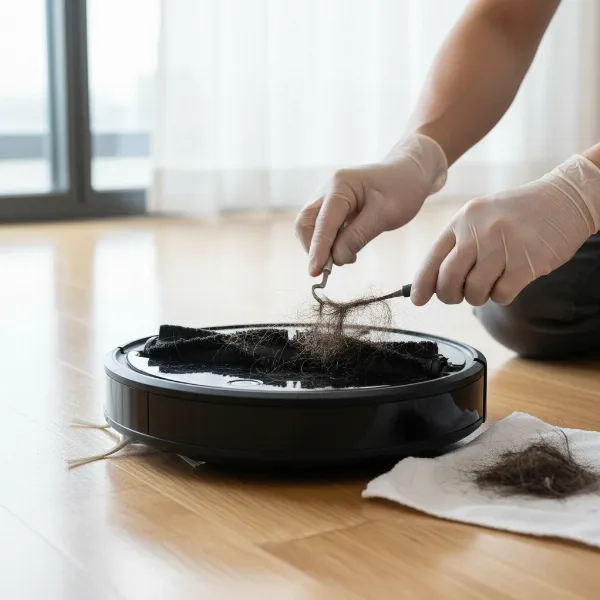 A person carefully cleaning the main roller brush of a robot vacuum cleaner.
Dustbin and Filters: Maintaining Airflow and Suction
A full dustbin and clogged filters are primary culprits behind reduced suction and an overworked motor.
- Empty the Dustbin Daily/After Each Use: This simple habit prevents clogs and maintains optimal suction. For models without auto-empty docks, this is crucial.
- Clean the Dustbin: Periodically wash the dustbin with warm water and let it air dry completely before returning it to the vacuum.
- Filter Maintenance: Gently tap out dust from the filter weekly or bi-weekly. If your filter is washable, rinse it under warm water, ensuring it’s thoroughly dry before reinserting. Replace filters every 3-6 months, or more frequently in homes with pets or high dust levels. Always use original or manufacturer-approved compatible parts.
Sensors and Wheels: Guiding Your Robot Effectively
Your robot vacuum relies on its sensors for navigation and its wheels for movement.
- Clean Sensors Weekly: Dust and smudges on cliff, wall, and bumper sensors can impair navigation, causing your robot to miss spots, bump into furniture, or fall down stairs. Gently wipe all sensors with a dry microfiber cloth. Avoid water or harsh cleaning agents.
- Inspect Wheels Bi-weekly: Check the drive wheels and the front swivel wheel for trapped hair or debris. Clean them to ensure they spin freely, allowing for smooth movement and preventing the vacuum from getting stuck.
Mop Pads (for Hybrid Models)
If your robot vacuum also mops, the mop pads require dedicated attention.
- Wash After Every Use: Remove and wash mop pads after each cleaning cycle to prevent spreading grime. Most are machine washable.
- Replace Worn Pads: Replace pads when they show signs of fraying, thinning, or reduced cleaning performance.
Nurturing Your Robot Vacuum’s Battery Health
The battery is the powerhouse of your robot vacuum. Proper battery care is vital for extending its overall operational lifespan.
- Avoid Deep Discharges: Lithium-ion batteries, common in robot vacuums, benefit from partial discharges. Aim to recharge your vacuum before the battery completely drains, ideally when it reaches around 20-30% capacity.
- Keep it Cool: Extreme temperatures, such as direct sunlight or very hot rooms, can degrade battery health. Store and operate your vacuum in a cool, dry environment.
- Proper Storage for Extended Periods: If you plan not to use your robot vacuum for several weeks or months, charge its battery to approximately 50% before storing it in a cool, dry place. This helps prevent battery degradation.
- Monitor and Replace: If you notice a significant reduction in runtime or charging issues, it might be time to replace the battery. Many manufacturers offer replacement batteries that can give your vacuum a new lease on life.
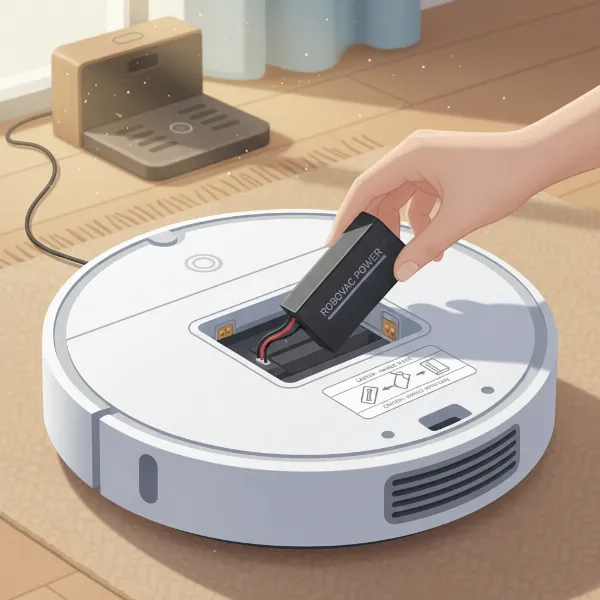 Illustrating proper battery care for a robot vacuum, showing the battery compartment.
Optimizing Your Home Environment
The surroundings your robot vacuum operates in can significantly impact its longevity.
- Clear Obstacles: Before each cleaning session, remove loose cords, small toys, clothing, or other items that could entangle the brushes or get stuck in the vacuum. This prevents damage to both the robot and your belongings.
- Maintain the Charging Dock: Keep the charging contacts on both the vacuum and its dock clean and free of dust or debris to ensure a reliable connection and efficient charging. Position the dock in an open area, free from obstructions, allowing the robot to return easily.
- Consider Floor Types: While most robot vacuums handle various floor types, excessive use on very rough surfaces can accelerate wear on brushes and wheels.
Software Updates and Consumable Replacements
Staying up-to-date and replacing parts when needed are crucial for sustained performance.
- Update Firmware Regularly: Robot vacuums are smart devices that benefit from software updates. These updates often include performance enhancements, improved navigation algorithms, and bug fixes that contribute to a longer, more efficient life. Check your companion app for available updates.
- Replace Consumable Parts: Brushes, filters, and mop pads are designed to be replaced periodically. Following manufacturer recommendations for replacement schedules (often indicated in the app or manual) ensures your vacuum continues to clean effectively and prevents unnecessary strain on other components.
When to Seek Expert Assistance
Even with diligent maintenance, issues can sometimes arise.
- Consult Your Manual: Your robot vacuum’s user manual is an invaluable resource for troubleshooting common problems and understanding model-specific care instructions.
- Contact Customer Support: If you encounter persistent issues like unusual noises, charging failures, or significant performance drops that aren’t resolved by routine maintenance, reach out to the manufacturer’s customer support.
- Warranty Services: Register your robot vacuum upon purchase to take full advantage of warranty coverage for repairs or replacements, protecting your investment.
By adopting these simple yet effective maintenance practices, you can significantly extend the life of your robot vacuum, ensuring it remains a reliable and efficient cleaning companion for many years to come.